
What you will learn
Describe a simply supported beam in plain language, review its bending moment and deflection, and prepare further work in RFEM. The IPE 300 example turns an initial section choice into a traceable deflection check.
The task: assess an initial section choice
A 6 m steel beam carries a total uniformly distributed load of 12 kN/m. We start with an IPE 300 in S235 and first examine elastic behavior and deflection.
- System
- Simply supported beam
- Span
- 6 m
- Material & section
- S235 · IPE 300
- Uniform load
- 12 kN/m including self-weight
- Analysis
- Linear elastic · major-axis bending
- Example target
- Deflection ≤ L/300 = 20 mm
Sign in to CALC to try the example. To continue in RFEM, you also need RFEM 6, the Dlubal Connector and available RFEM access in the chat.
FAQ-000001 · Connect RFEM 6 →Watch the example
40 seconds · Explainer made from real live screenshots · silent, with German and English captions. The RFEM capture shows model preparation, not a completed analysis.
Video transcript
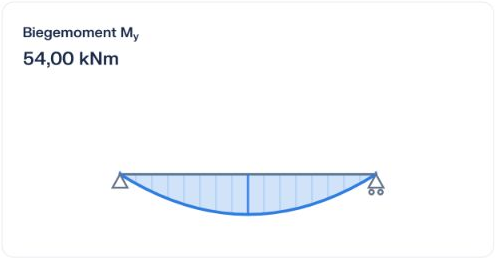
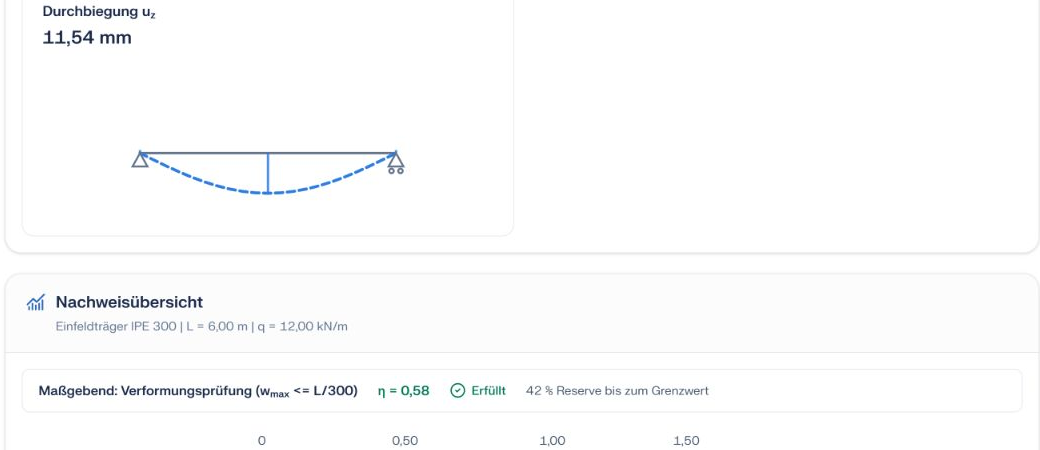
We examine a 6 m simply supported S235 beam with an IPE 300 and a total load of 12 kN/m. CALC analytically calculates a maximum bending moment of 54 kNm. Deflection is approximately 11.54 mm, below the example limit of 20 mm. We prepare a separate demo model for RFEM. No live RFEM analysis was executed for this recording. Load combinations, stability and further checks remain necessary before design approval.
Define the system and loads clearly
Open the starter task and check the inputs before sending. The 12 kN/m already include self-weight: do not add it again. L/300 is an agreed target for this example.
For USC-000001, examine a simply supported 6 m S235 beam with an IPE 300 section. The total downward uniform load is 12 kN/m including self-weight; do not add self-weight again. Calculate linear-elastic major-axis bending using E = 210000 N/mm² and I = 8356 cm⁴, neglecting shear deformation. Show support reactions, maximum bending moment and deflection with the calculation. Compare deflection with the agreed example target L/300 = 20 mm. This is an analytical system and deflection check, not a complete Eurocode verification. Identify checks not performed. For subsequent RFEM analysis, first check access and create only a new demo model; do not change existing models. Only claim an RFEM analysis after actual execution.Start with this task ↗
The text is prefilled. The calculation starts only when you send it.
Understand and cross-check the results
The live session provided an analytical reference calculation. For major-axis bending we use E = 210,000 N/mm² and I = 8,356 cm⁴. This beam formula neglects shear deformation.
Prepare a separate RFEM model
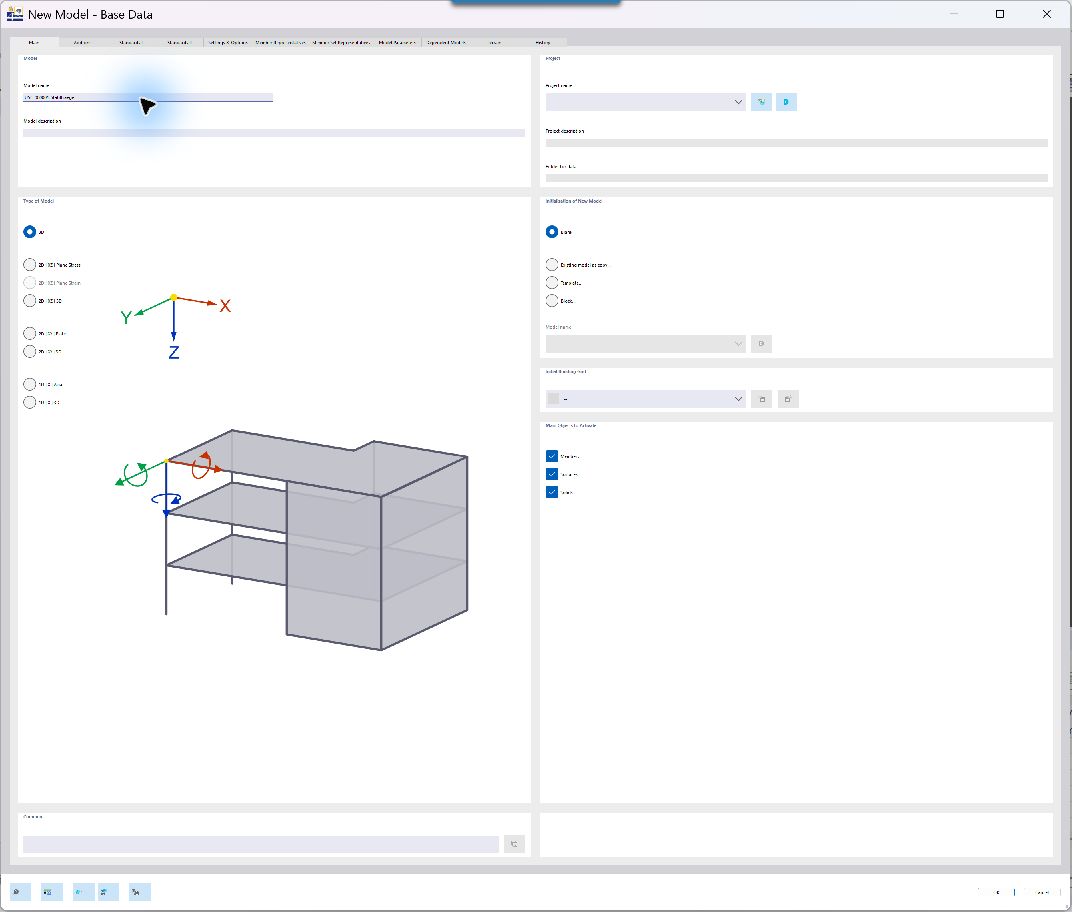
Use a new model named USC-000001-Stahltraeger. Before analysis, check supports, major-axis bending, downward load, disabled automatic self-weight and linear static analysis. Then compare support reactions, moment and deflection with the analytical calculation.
CALC shows connected but does not execute an RFEM tool?
This happened during capture: no executable RFEM tool was available in the chat. A connection status does not confirm model creation or analysis. Check access through the RFEM menu and require the actual model and results. An analytical chat response is not an RFEM analysis.
What remains before completing the design
- Define load levels and governing load combinations.
- Verify section resistance, shear and interaction where applicable.
- Check lateral restraint, lateral-torsional buckling and connections.
- Establish the standard, National Annex and project-specific deflection requirements.
IPE 300 is an assessed starting section, not an optimized or fully verified section. These example values apply only to the described idealized system.
Now try your own task
Use the example, change one parameter and explore its effects.
Open example in CALC →